
Easier Payments & Cleaner Invoice Layouts
💳 Add Payment Links to Emails
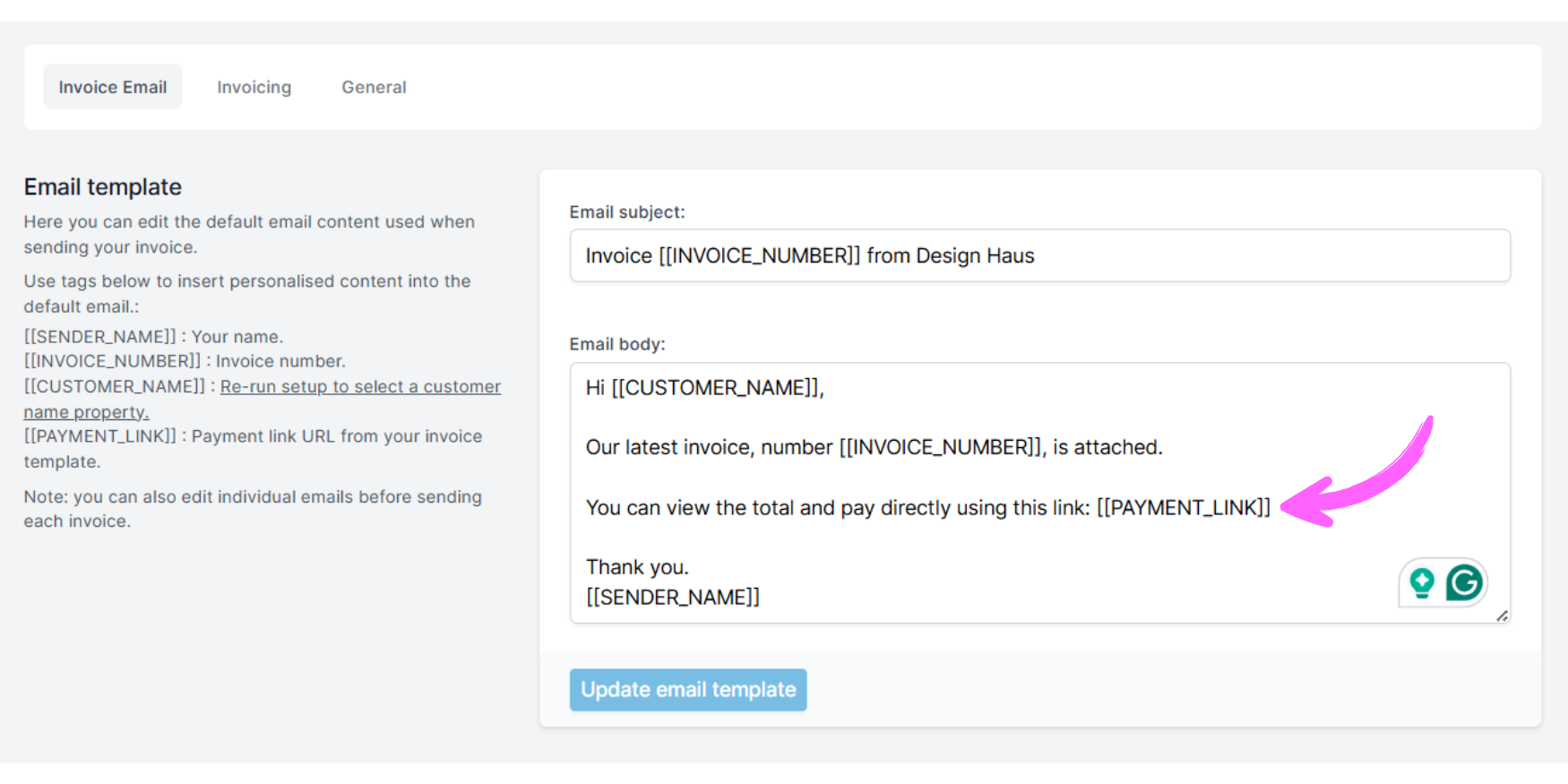
You can now include a direct payment link in the email sent to your customer, so there's no need for them to open the invoice. They simply click the link in the email to pay instantly.
To enable this in Pop Invoice you add the payment link tag in your email template:
-
Go to Settings → Email Template
-
Use the [[PAYMENT_LINK]] tag in the email template
Note: you can also customise each email individually before sending.
If you haven't set up payment links yet in your Notion invoice database here are instructions on how to configure it.
🎨 More Control Over Invoice Layouts
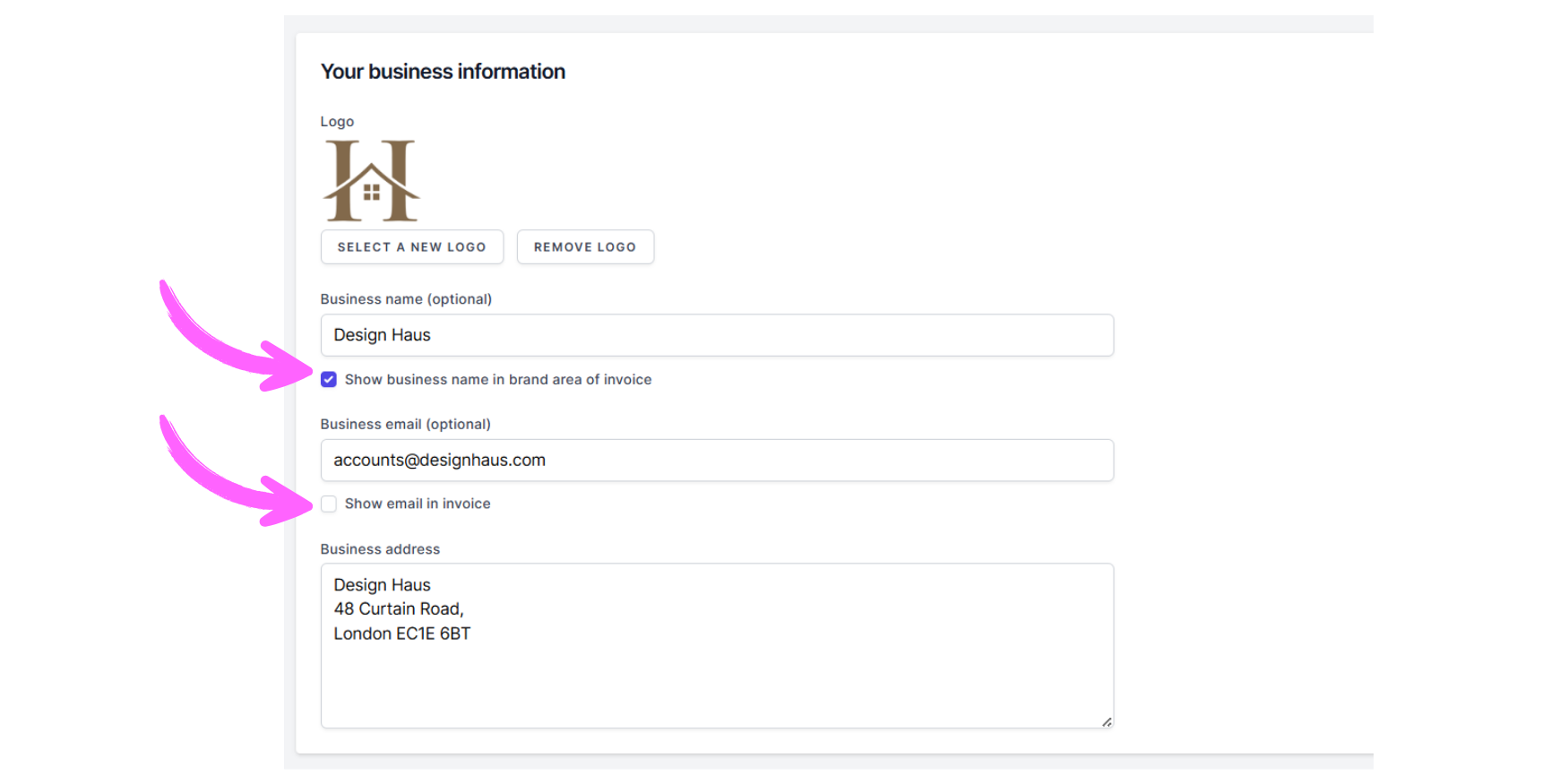
You now have more flexibility in how your business info appears on the invoice:, you can:
-
Show/hide your email address under the postal address
-
Show/hide your business name under the logo (helpful if your logo already includes it)
To use these options in Pop Invoice:
-
Click on the template menu → edit the template
-
Go to the "Your business information" section
-
toggle the options on and off
-
View the invoice design in the preview
-
Save
Thanks to everyone who suggested these improvements
Message Jo at jo@popinvoice.com with any questions or suggestions for new features
